Pitch Please Camera Mode: roof photos with pitch readings
Keep a roof photo, fixed guide, and device reading together in Pitch Please Camera Mode. The app reads phone inclination from motion sensors and draws the readout on the saved picture. It does not calculate roof geometry from the image. For a contact-based check, use Direct Mode on a safely accessible surface.


How Camera Mode works
- Switch to Camera Mode and hold the phone in landscape.
- Choose a clear view of a sloping rake or roof profile that follows the roof's fall. A horizontal eave or gutter does not represent the roof slope. Follow site access and safety requirements.
- Move the phone until the fixed guide follows the visible profile. The reading is the phone's inclination, so viewing angle and phone orientation affect how it relates to the roof. Alignment alone does not validate the roof angle.
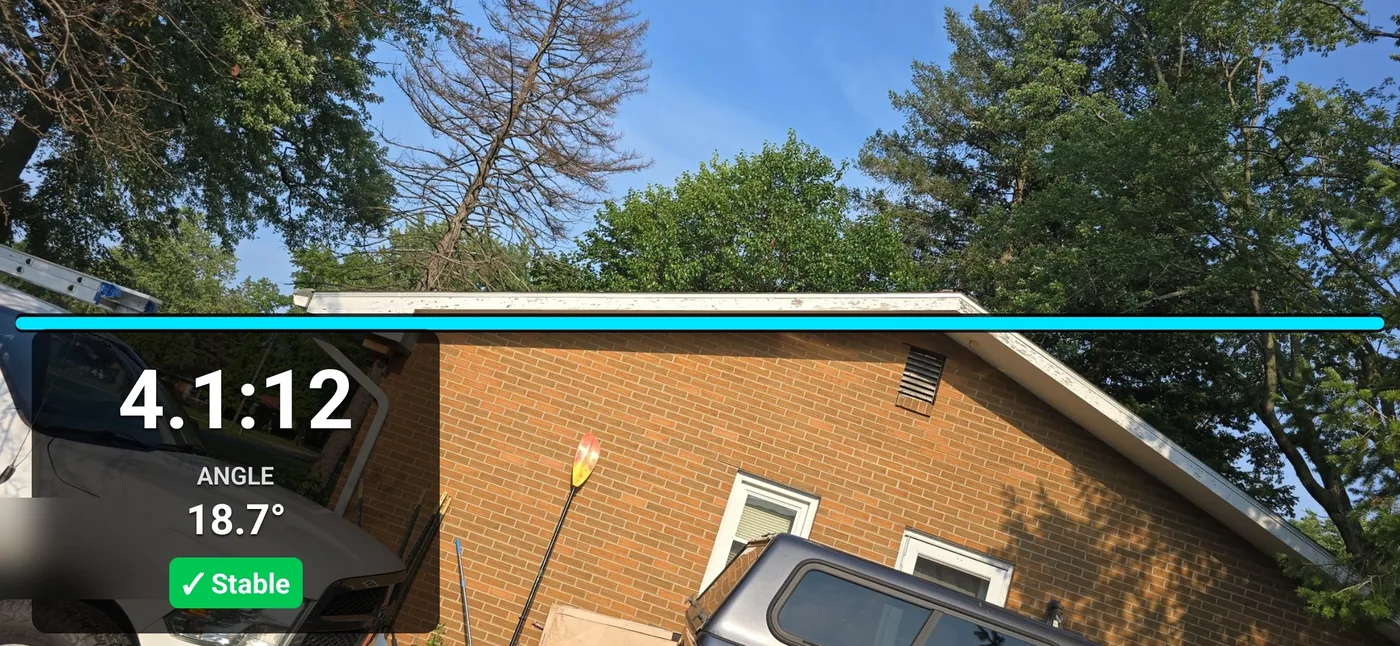
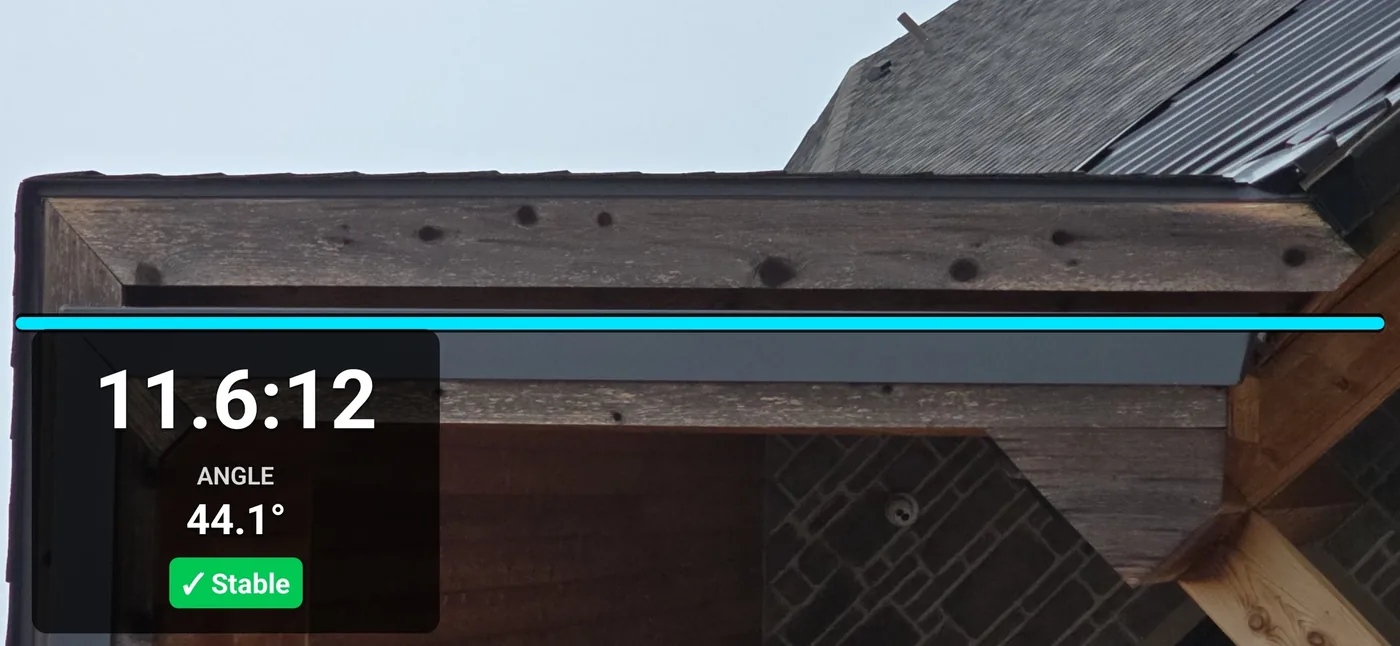
- Watch the stability indicator. When the reading has settled, save. The photo is written with the guide line, the pitch or slope value, and the degrees on it.
The app reads the tilt of the device from its motion sensors, not the image, and reports it as X:12 with degrees in Imperial, or as percent slope with degrees in International.
What the saved photo contains
Earlier interface examples show the saved overlays. The displayed numbers are device-sensor readings; these photos do not establish the actual roof pitch. Current layouts may differ.
Camera Mode or Direct Mode
Both modes use motion sensors. Direct Mode reads the device resting against the slope. Camera Mode keeps the fixed guide and sensor reading in a live camera view. Choose based on safe access and the documentation you need, and verify consequential measurements independently.
| Situation | Use | Why |
|---|---|---|
| Roof is steep, wet, or you should not be on it | Camera Mode | Records a roof photo and device reading from a permitted position. It does not establish roof geometry or replace site access and safety procedures. |
| Bid walk with several facets to check | Camera Mode | Keep a separate photo and note for each facet. Verify each roof plane with an appropriate measurement method before using it in an estimate. |
| Surface is safely within reach | Direct Mode | Reads inclination by contact with the slope. Check calibration and placement; this is a field reference reading. |
| Documenting for a file someone else will review | Either, save the photo | Camera Mode photos show the placement of the line; Direct Mode saves the measurement screen. |
Direct Mode and the inclinometer side of the app are covered on the digital pitch gauge page.
Camera alignment and measurement limits
Check the viewing angle
Perspective can change how a sloping edge appears. The app reads phone inclination, not a three-dimensional roof plane. A square view helps with alignment but is not an accuracy guarantee.
Choose a sloping roof profile
Use a visible sloping rake or profile following the roof's fall. Do not treat a horizontal gutter or eave as the roof slope. Obstructions and perspective can make alignment misleading.
Hold still and wait
Hold the phone still before saving. The stability indicator describes sensor movement; it does not confirm that the guide or viewing angle represents the roof slope.
Verify important measurements
Use an appropriate contact method or required professional instrument for material orders, final estimates, code, engineering, or safety decisions. Keep the photo as documentation of the app reading and setup.
Frequently asked questions
How does a phone camera measure roof pitch from the ground?
Camera Mode displays the phone's sensor reading beside a fixed guide in the live camera view. Aligning the guide with a visible sloping roof profile can help document the scene, but the app does not calculate roof geometry from the image. Perspective and phone orientation can change the result. A stable indicator means the sensor reading has settled; it does not confirm the roof angle. Choose Imperial X:12 with degrees or International percent slope with degrees in Settings.
Does the pitch get drawn on the photo?
Yes. The saved photo includes the fixed guide and device-sensor readout. Captures stay in Saved Pictures, where you can add job labels to a copy and export it. The overlay documents the app reading; it does not certify the roof angle.
How accurate is Camera Mode compared to Direct Mode?
Direct Mode uses contact with the slope. Camera Mode records phone inclination beside a fixed guide and depends on viewing angle and orientation. Neither mode is a certified engineering measurement. No equivalence to a professional level or ordering accuracy is claimed; verify consequential readings with an appropriate method.
Do I need to stand a certain distance from the house?
There is no specified distance that guarantees a roof-angle reading. Choose a safe, permitted position with a clear view of a sloping roof profile. Perspective and phone orientation matter, and a stable sensor reading does not confirm the roof angle.
Get Pitch Please
Available now on the Apple App Store and Google Play. Current pricing and device compatibility are on the store listings.
Related: using the saved photo for claim and inspection files, Pitch Please for roofers and contractors, and the main Pitch Please page.
Found something on this page that does not match the app? Tell us and we will fix it.