Digital roof pitch gauge and inclinometer app in your pocket
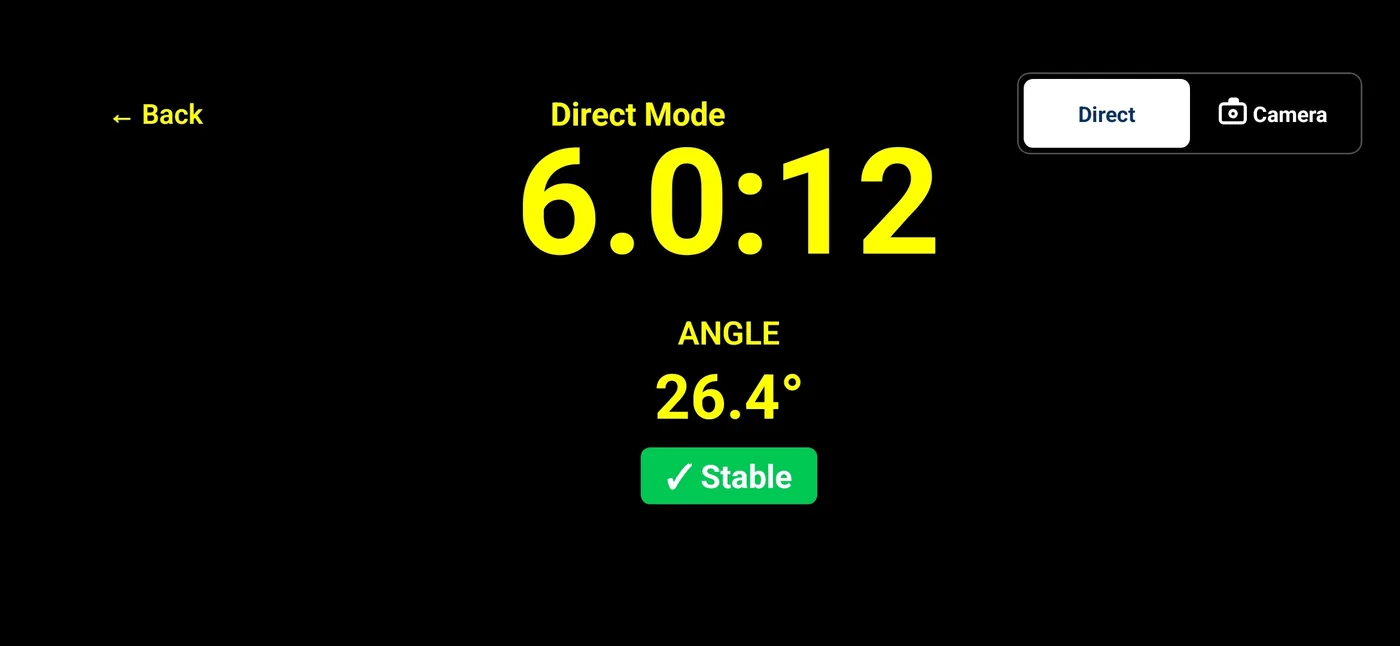
Use your phone as a field-reference inclinometer with Pitch Please Direct Mode. It reads device inclination, shows X:12 pitch or percent slope with degrees, and saves the measurement screen. Check calibration and contact with the surface. For rise-and-run math without the app, use the free roof pitch calculator.


Direct Mode is the inclinometer
Hold the phone in landscape and rest its long edge along a safely accessible slope in the direction of fall. Direct Mode reads device inclination from motion sensors. Choose X:12 pitch with degrees or percent slope with degrees. Use calibration in Settings and let the reading settle before saving to Saved Pictures; a photo-library copy is saved when permission is available.
Against the physical pitch gauge
None of these tools is wrong. The question is what you get for the reach into the bag.
| Tool | Readout | Record of the reading | Needs to touch the roof |
|---|---|---|---|
| Dial or digital pitch gauge | Degrees, or X:12 on some dials | None; you write it down | Yes |
| Speed square and level | Rise per 12 read off the square | None; you write it down | Yes |
| Generic angle or level app | Degrees | Usually a screenshot with no context | Yes |
| Pitch Please, Direct Mode | X:12 with degrees, or slope units | Saved measurement screen with the value on it | Yes |
| Pitch Please, Camera Mode | X:12 with degrees, or slope units | Photo of the roof with the guide line and value on it | No |
Camera Mode keeps a device reading and guide with a roof photo without contact. Its perspective and orientation limits are explained on the Camera Mode page.
Placement, calibration, and saving a reading
Rest the phone flat on the slope
Direct Mode measures the tilt of the device itself, so the reading is only as good as the contact. Lay the long edge flat along the direction the roof falls, not across it, and keep it still.
Check calibration and repeat placement
Follow the in-app calibration Help, then lift and reposition the phone to check contact. Agreement between placements helps identify inconsistent setup, but it does not establish certified accuracy. Verify consequential measurements with the appropriate instruments.
Wait for the stability badge
The reading is live. The badge goes green when the sensors have settled, and that is the number to save, not the one that flashed while you were still placing the phone.
Keep the screen on
Settings has a keep-screen-on option for Direct Mode and haptic feedback, so the phone does not lock mid-reading and you can feel the confirmation without looking away from the roof.
An angle finder for more than roofs
Anything with a slope reads the same way: a deck, a shed roof, a ramp, a gutter run, a driveway apron, a small addition. Rest the phone on it and read the angle. The X:12 readout is the roofing convention, but the degrees are there for everything else, and the saved image goes in the job file either way. The roofing-specific math, including the pitch multiplier for material orders, is on the page for roofers and contractors.
Frequently asked questions
Is Pitch Please an inclinometer or a clinometer?
Both words describe the same job: reading an angle against level. Pitch Please does that with the phone's motion sensors in Direct Mode, and adds the roofing X:12 readout, a stability indicator, and a saved image of the measurement.
Why not just use a generic level or angle app?
A generic angle app gives you degrees. Roofing is written as rise over 12, so you would convert every reading by hand. Pitch Please shows X:12 and degrees together, and saves a photo so the number is not just a memory.
Does the phone have to touch the roof?
Direct Mode needs contact with the slope because it measures the device's inclination. Use only a safely accessible surface. Camera Mode can save a scene with a fixed guide and device reading without contact, but does not calculate roof geometry from the image.
Get Pitch Please
Available now on the Apple App Store and Google Play. Current pricing and device compatibility are on the store listings.
Related: how it compares as a Pitch Gauge alternative, device support for iPhone and Android, and the main Pitch Please page.
Found something on this page that does not match the app? Tell us and we will fix it.