Roof pitch documentation for adjusters and home inspectors
Keep the app reading and field context together. Pitch Please saves Camera Mode photos with the fixed guide and sensor readout, or Direct Mode measurement screens from a contact check. Add job labels to a copy in Saved Pictures, then export for a claim or inspection file.


The reading and field context in one file
Camera Mode puts the fixed guide and device-sensor reading on the photo; Direct Mode saves the measurement screen. These images document what the app displayed and the visible setup. They do not establish roof geometry, authenticate a claim, or make the file tamper-proof. Keep the original capture alongside any annotated copy.
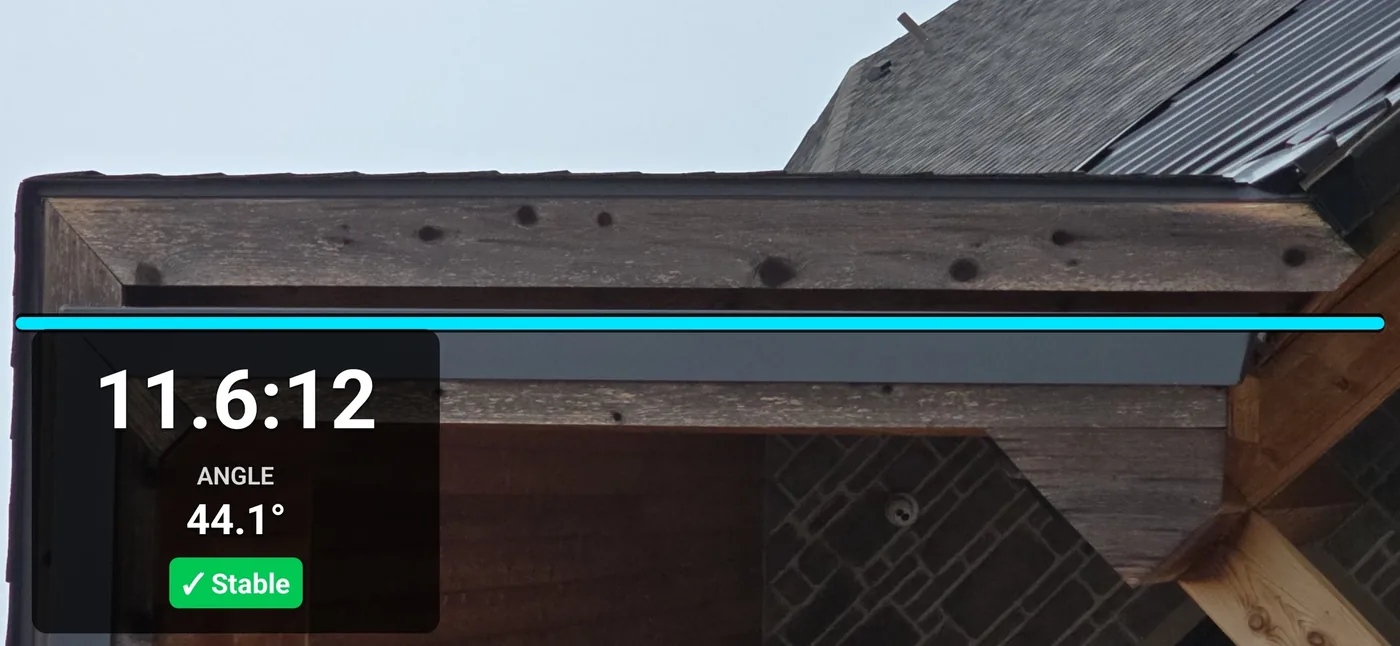
What the saved photo actually shows
The line is visible
The photo shows where the fixed guide sat in the frame. That helps a reviewer understand the setup, but perspective and phone orientation still affect the relationship between the device reading and the roof slope.
The value is on the image
The device reading is drawn on the saved image. You can add job labels to an annotated copy while retaining the original. Like other digital photos, exported copies can be edited outside the app.
The reading had settled
A stability indicator describes whether the sensor reading has settled. It does not validate roof alignment, the actual roof angle, or an inspection conclusion.
The original is kept
Saving an annotated copy leaves the original picture unchanged, so the file can carry both the labelled version and the untouched capture it came from.
A claim and inspection documentation workflow
- For a roof you cannot safely access, document the scene from a permitted position. Camera Mode keeps the guide and phone-inclination reading with the image; it does not calculate roof geometry. See the Camera Mode limits.
- Where the surface is safely reachable, use Direct Mode: phone in landscape, long edge in line with the fall of the roof.
- Check calibration and placement, let the sensor reading settle, and verify consequential measurements with the appropriate instruments.
- Open the capture in Saved Pictures, add optional labels to a copy, and export it for the claim file or report. A photo-library copy is also saved when permission is available.
Record the measurement method and any limitations in the report. Pitch Please does not validate a claim decision, an inspection standard, or code compliance. For a supplied rise and run, the free web roof pitch calculator converts the ratio to pitch, degrees, and percent slope.
What is Pitch Please not suitable for?
Pitch Please is a field reference and photo documentation tool. It is not a certified engineering instrument. Verify material quantities, claim decisions, code, structural, and safety conclusions using the required method and instruments, and describe the limits of any app reading in the report.
Measurement note. Verify final code, engineering, safety, or construction decisions with the required professional instruments and your carrier's, firm's, or local requirements.
Frequently asked questions
Does the saved photo include the pitch value?
Yes. Camera Mode saves the fixed guide and device-sensor readout on the image. It documents what the app displayed, not a certified roof angle. Saved Pictures keeps the original capture and lets you create a separate annotated copy with job labels.
Can I take the reading from the ground on a steep roof?
You can use Camera Mode from a safe, permitted position to document the roof with a fixed guide and phone-inclination reading. It does not calculate the roof angle from the image. Verify the actual slope with an appropriate method before a consequential claim or inspection decision.
Is Pitch Please accurate enough for a claim decision?
Use it as field reference and documentation, and independently verify measurements that affect a claim decision. Verify code, engineering, and safety conclusions with the required instruments and your carrier's or firm's requirements.
Does the app upload my inspection photos anywhere?
No. Captures and annotated copies stay in the on-device Saved Pictures archive, with photo-library export when permission is available. The app does not upload measurements or pictures and requires no account. Online version checks retrieve update information separately; see the privacy policy for details.
Full permission details are in the Pitch Please privacy policy.
Get Pitch Please
Available now on the Apple App Store and Google Play. Current pricing and device compatibility are on the store listings.
Related: Camera Mode documentation and alignment limits, device support for iPhone and Android, and the main Pitch Please page.